Help
The data in these dashboards is typically sourced from retail measurement services that track sales at retail outlets in various retail channels. Where scan data is available, service providers use that for reporting purposes, and where it is not available, the outlets are manually audited.
The dashboards typically comprise one or more charts and a table. The charts help you visualize the trends. You may view the data values at a time period by hovering the cursor over that period. Alternatively, read the data from the tables. They usually provide for greater level of detail.
You may also export the data table to Excel by clicking the download to Excel button
 towards the left of the top menu.
Take note some channels might not appear in all reports. Scan channels for instance, are excluded from the purchase dashboard because information on purchases, stocks and stock outs is not available for these channels.
Each dashboard is configured to serve a purpose. The portal
 is intended to
allow you to filter and select whatever information you are interested in
reading, whereas the report
is intended to
allow you to filter and select whatever information you are interested in
reading, whereas the report
 provides unfiltered information for all channels, across selected time periods and facts.
The brand dashboard
 is configured for diagnosing the health of a brand. It provides information on the metrics driving
brand sales including sales, market share, price distribution, purchases and stock.
is configured for diagnosing the health of a brand. It provides information on the metrics driving
brand sales including sales, market share, price distribution, purchases and stock.
The purchase dashboard
 provides information across brands on sales volume, purchases,
stocks, distribution (% wtd), distribution (% num) and out of stock (% stores). It is intended to track
the supply and distribution of products, and guide retailers/suppliers in the areas of purchasing and
production.
provides information across brands on sales volume, purchases,
stocks, distribution (% wtd), distribution (% num) and out of stock (% stores). It is intended to track
the supply and distribution of products, and guide retailers/suppliers in the areas of purchasing and
production.
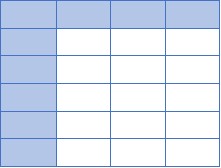
| Period 1 | Period 2 | Period 3 | Period 4 | |
| Brand ABC - Volume | 24.6 | 29.6 | 31.7 | 29.8 |
| Purchase '000 | 21.7 | 29.5 | 37.3 | 32.6 |
| Stock '000 | 0.1 | 5.6 | 8.4 | |
| OOS (%) | 4 |
Table Purchase Dashboard: Brand ABC — Purchases, Sales and Stocks.
Only the audited channels are supported in this dashboard because purchasing and stock information is not available for scan channels.
Purchase and Stock: The two column charts at the top left and middle pertain to the purchases, opening stock, sales and closing
stock for the selected brand in the selected channel. You will notice that purchase volume + opening stock
shown on the first chart is equal to the sales volume + closing stock in the next chart.
For instance, for period 4 in the above table, the purchase volume (32.6) + opening stock (5.6) is equal to
the sales volume (29.8) + closing stock (8.4). This alludes to the equations used for deriving sales:
Sales = Purchases + Opening Stock − Closing Stock
(Refer
MarketingMind for details).
The third chart plots the cumulative purchases, stocks, stock out (%) or volume for top brands in the chain. Used this chart to detect supply and demand trends.
For details, particularly at the item level, refer the table in this dashboard. Retailers use this information for making purchasing decisions, and suppliers use it to ensure that they meet the purchasing requirements of their trade partners.
Note that the closing stock in any time period is the opening stock for the next period. For instance, in the above table, retailers purchased 29.5 thousand units of Brand ABC and sold 29.6 thousand units in period 2. The closing stock of 100 (0.1 K) in period 1 is the opening stock for period 2. Since the purchased quantity and the opening stock was entirely sold out, leaving no closing stock, the chain is experiencing stock outs some stores. It is estimated that 4% of the outlets in the channel are experiencing stock outs. These outlets lost the opportunity to sell more of Brand ABC because it did not purchase adequate quantities.
Depending on the shoppers’ loyalty to brand versus store, persistent stock outs could compel shoppers to switch stores. This will impair the retailer’s performance not only for the brand and the category, but also for the other categories stocked by the retailer in the stocked out stores.
Maintaining much excess stock is also detrimental because it adds to inventory holding cost is 2%, and because for perishables, stocks may expiry if they are not cleared in time.
Stock Cover (Stock Cover Days) is the estimated number of days that stock would last. The likelihood of stock outs reduces if the retail delivery cycle time is significantly less than the stock cover days.
Example to illustrate how stock cover is computed: If the opening stock in a store is 300 units and the store sells 600 units per month, then stock cover days = 300/600 = half a month, or about 15 days.
If the store wants to increase stock cover to 20 days, the desired closing stock is 400 units (20 days’ stock). To achieve the higher stock cover, the retailer needs to purchase 700 units:
- Opening stock: 300
- Sales: 600
- Closing stock (targeted for 20 days stock cover): 400
- Purchases (targeted) = Sales + Closing stock − Opening stock = 600 + 400 − 300 = 700.
Distribution, the metric commonly used for tracking product availability, is usually measured in numeric and weighted terms. It may be weighted in either volume or value. In these dashboards, distribution is weighted in volume.
Numeric Distribution is the percentage of stores handling product. If 10 out of 100 stores handle a product, its numeric distribution is 10%,
Weighted Distribution is the percentage of stores handling product weighted by product category store sales. For the above example, if the 10 product handlers account for 20% of category sales, the product’s weighted distribution is 20%.
Refer MarketingMind for more on the various measures of distribution, and on in-stock and out-of-stock distribution.